
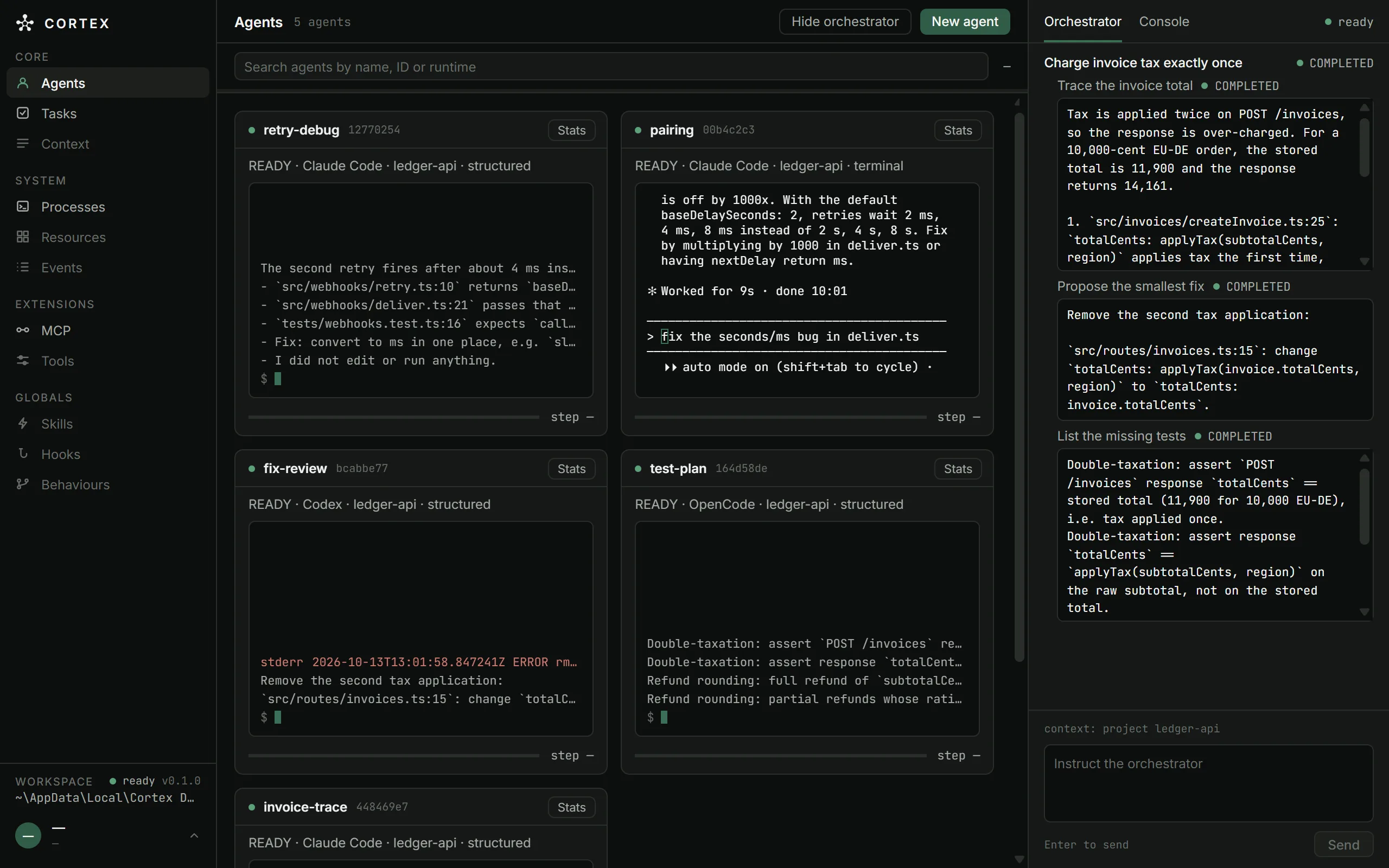
Fig. 1 · Agents screen · 1280 × 800
What the screen is showing.
What Cortex is
Cortex is a Windows desktop app that starts Claude Code, Codex and OpenCode as processes it owns, shows whether each agent is ready, busy or crashed, and runs tasks across them where one agent's result feeds the next.
Any MCP client you configure can drive the same core. The run above was submitted that way: one create_objective call with three tasks and their dependencies.
Cortex has no cloud service, account or telemetry of its own; the agent CLIs talk to their own providers. Agents, tasks and the MCP server stop when you close the window.
Three CLIs behind one contract.
Cortex drives the CLIs already installed and signed in on your machine; it does not bundle them. Each adapter translates one CLI: executable, flags, protocol, readiness, end of turn. Starting, stopping, limits and recovery are the same for all three.
 Claude Code
Protocol
stream-json, JSON lines over stdio
Process · modes
One per session. Structured (default) or terminal; created from the New agent dialog or MCP.
In structured mode
Anything that would need approval is denied. Rules you allowed in Claude Code's own settings still apply.
 Codex
Protocol
exec --json, JSON events on stdout
Process · modes
One per instruction, resuming the same thread. Structured; created over MCP.
In structured mode
Runs in a read-only sandbox: it can read and run read-only commands, not write.
 OpenCode
Protocol
ACP, Agent Client Protocol over stdio
Process · modes
One per session. Structured; created over MCP.
In structured mode
Edit, shell and web requests are refused.
A missing CLI marks its runtime unavailable, with a fix; Cortex still starts. All three declare interrupt and turn completion. The contract is built so another CLI can be added without changing the core; none is scheduled.
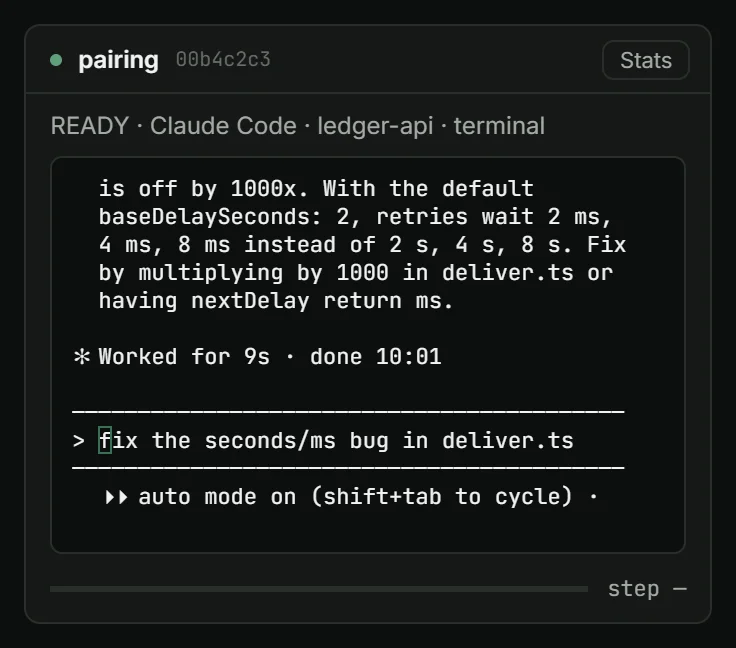
Fig. 2 · Terminal mode
Or keep the CLI's own interface.
Terminal mode gives you Claude Code's own interface in the card. Cortex owns the pseudoconsole and the process tree; the CLI's own permission rules apply, including an auto mode you turned on there.
A terminal agent is driven only by you: it takes no tasks, MCP messages or interrupts, and Cortex keeps no transcript of it.
Any MCP client can drive the same core.
Cortex hosts an MCP server on 127.0.0.1, port 47821 by default. Claude Code, or any MCP client you configure with your token, can list, create, start, message, interrupt and stop agents, submit objectives, cancel tasks and follow every turn.
Events are read by cursor with poll_agent_events, which keeps the latest 256; there are no push notifications yet. An agent Cortex started gets a read-only credential for its session.
What works today, and what does not yet.
As of 13 October 2026, v0.1.0. An item is listed as available only after its real path has run end to end on Windows.
Available
- Agents with an ID, a project and a runtime; definitions persist across restarts
- Start, stop and restart, with buttons enabled only by the reported state
- Structured and terminal interaction modes, chosen per agent
- A console to send an instruction and read the output
- Processes screen: PID, parent, command, owner, kind, start time
- A cap on running agents: 6 by default, 1 to 32 in config.json
- Job Object ownership and recovery at startup
- Objectives of 1 to 10 tasks with dependencies; retried once by default; 2 run in parallel by default
- MCP server with 14 tools
- Documentation: installation, user guide, command and MCP tool reference
- Remote MCP access with OAuth 2.1, verified with a test client against a simulated public URL
Planned
NEXT · V1.5
- Messages between agents
- Global skills, hooks and behaviours
- Routing: choosing the runtime or agent for a task, with the reason recorded
- A command-line interface
- A public, signed download of the installer
LATER · V2
- Scheduler and resource manager, with CPU and memory
- Supervisor and timeouts
- Git worktree isolation and file ownership
- Loop detection and journal-based recovery
- Permissions and autonomy modes
- Execution timeline
Fifteen places in the first beta.
You confirm your email with a 6-digit code that expires in 10 minutes. Your place is held while you confirm, for at most 30 minutes, and becomes yours once the code is accepted. After that, this page offers the Windows installer (x64, unsigned) with its version, size and SHA-256.
Your name and email are stored only to run the beta. Registrations that are not confirmed are released within 30 minutes and deleted later.
Registration needs JavaScript. Turn it on in your browser and reload this page.
Until there is a public build, follow the project on Instagram, Threads and YouTube, or read the documentation.